Skip to main content
Payee workflow
Dr. J
Payee workflow
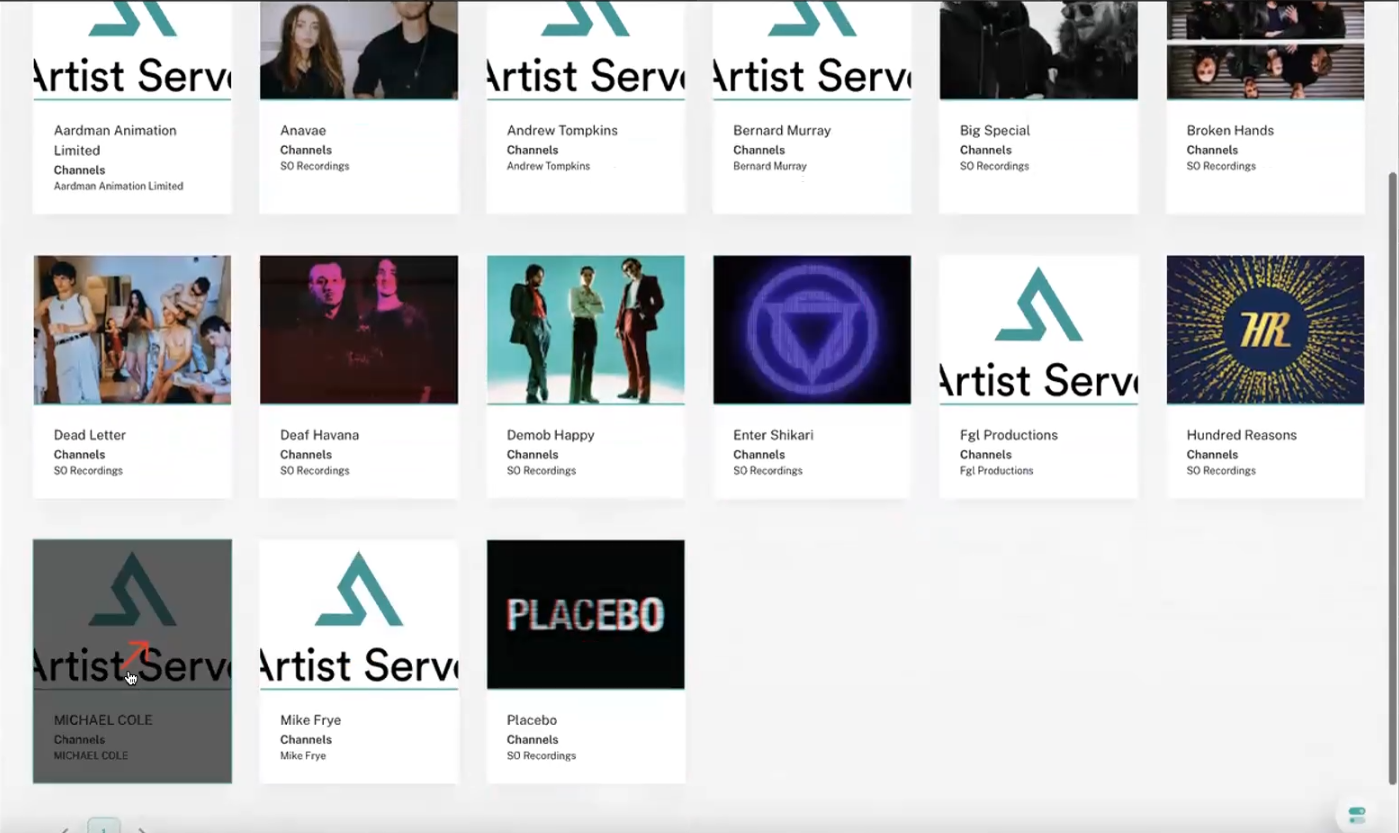
- In the Artist Serve platform, click the tile for the Artist (Payee) to onboard.
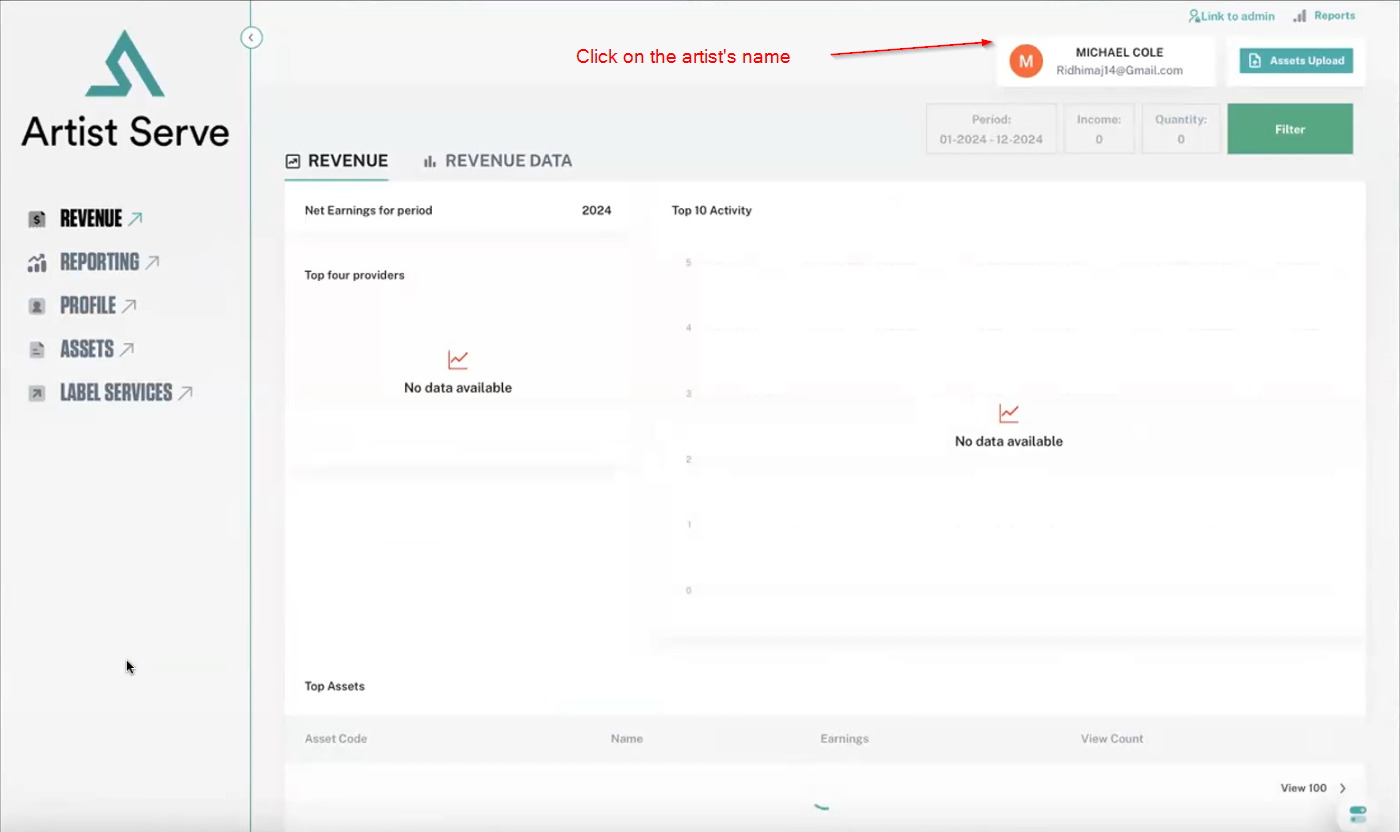
- From the Artist's page, click the Artist's Name in the upper right-hand corner.
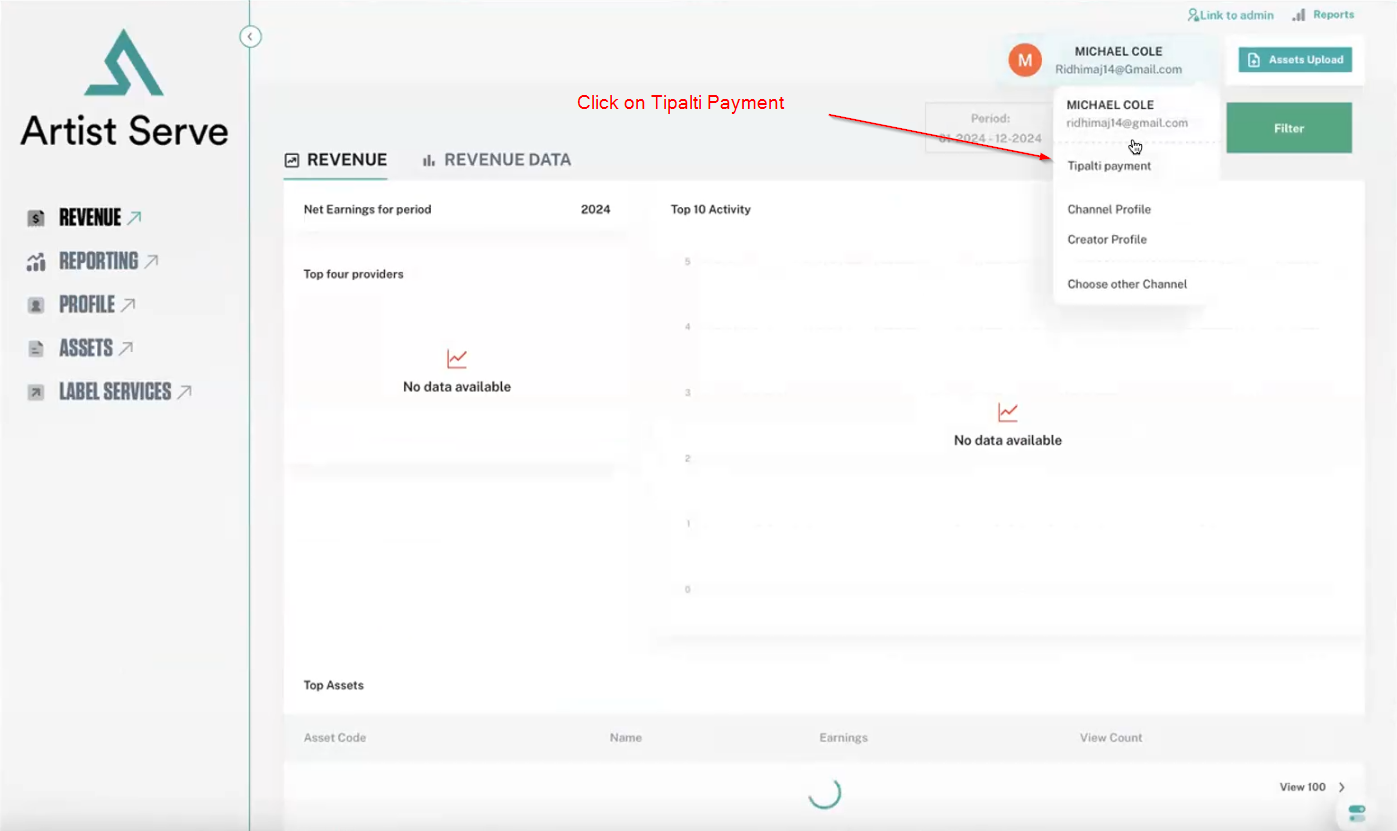
- Click Zipalti payment.
- The Zipalti iFrame appears on the right side of the screen. Complete the iFrame to onboard the payee.
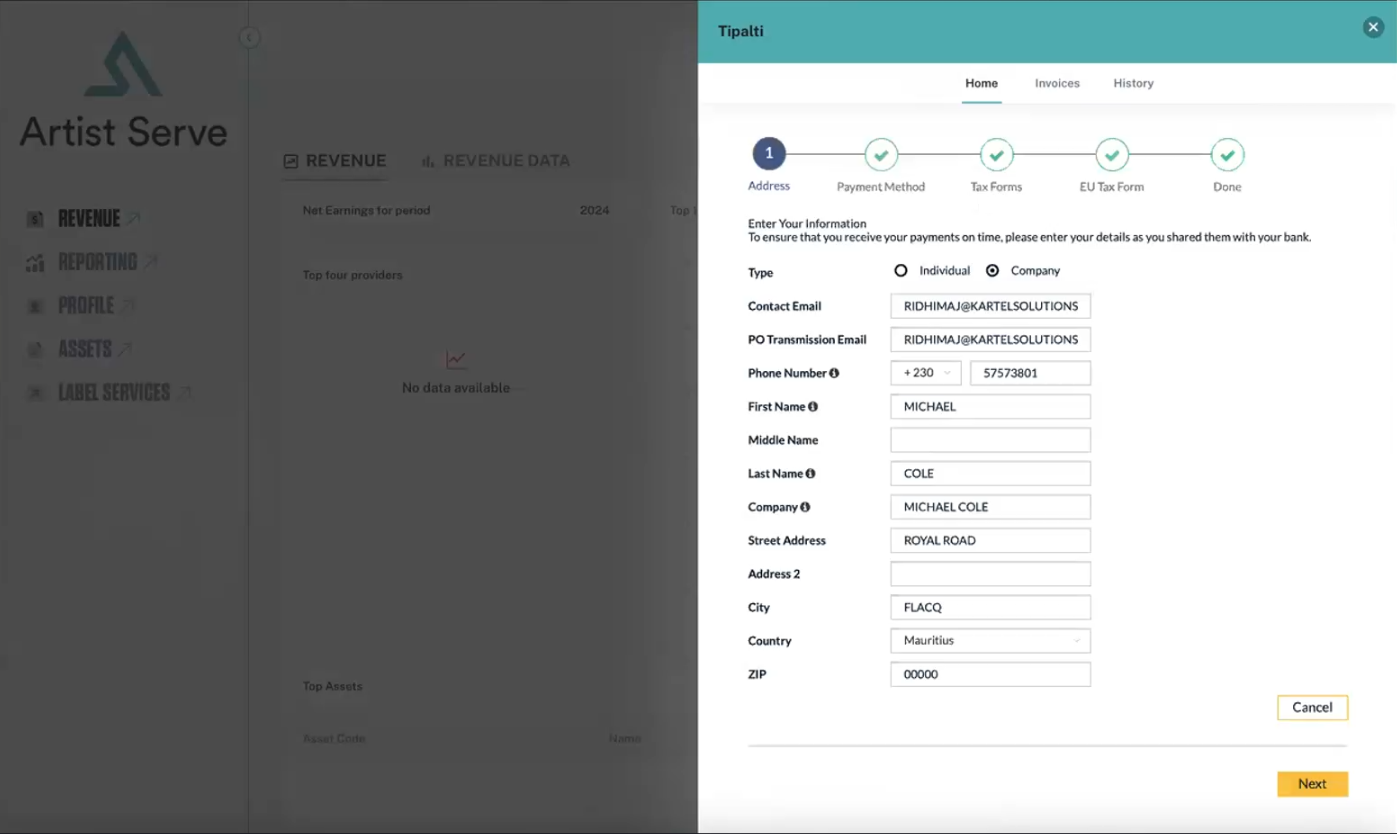
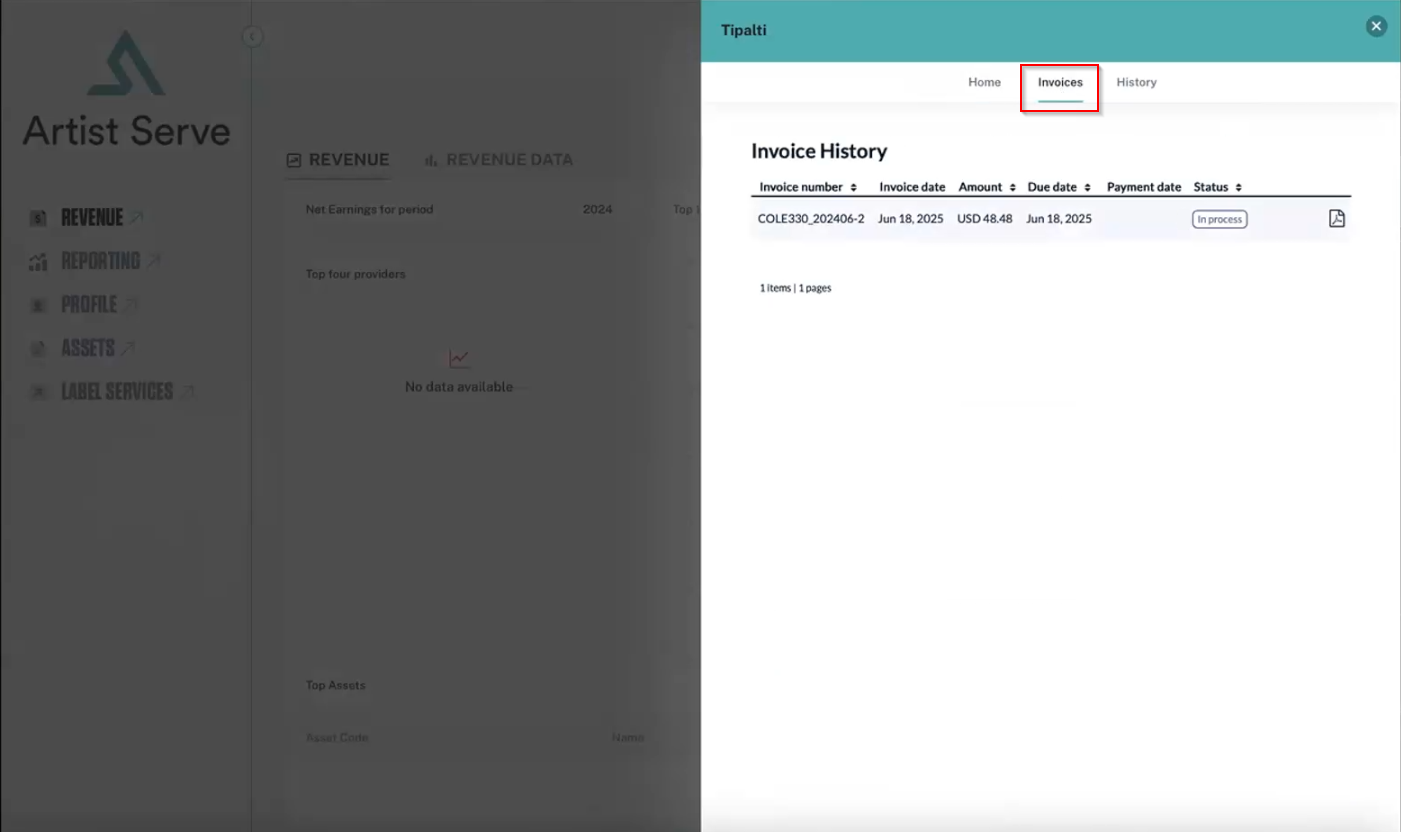
- The Invoice History iFrame is available from the Invoices tab.
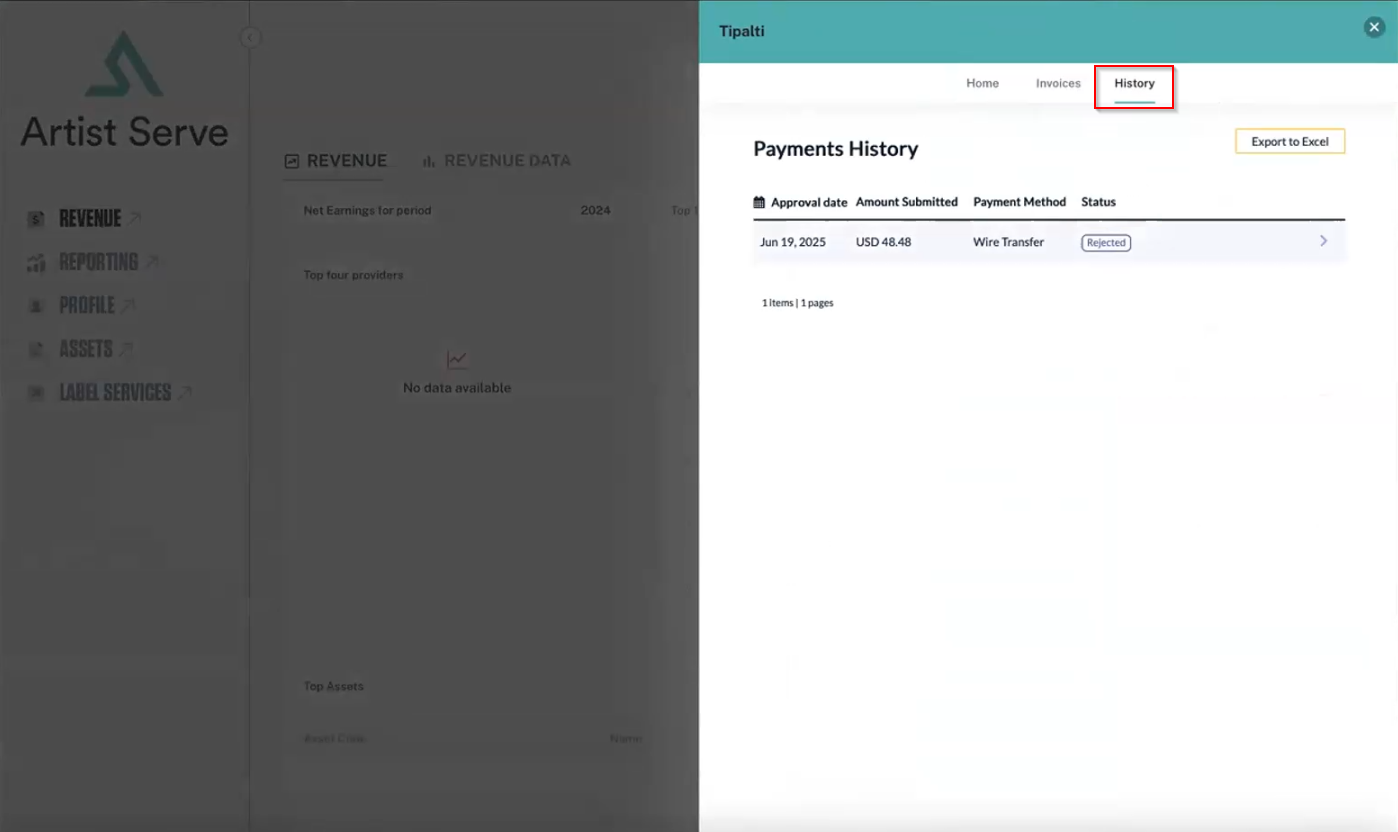
- The Payments History iFrame is available from the History tab.

Comments
0 comments
Please sign in to leave a comment.