Skip to main content
Setup
Dr. J
Setup
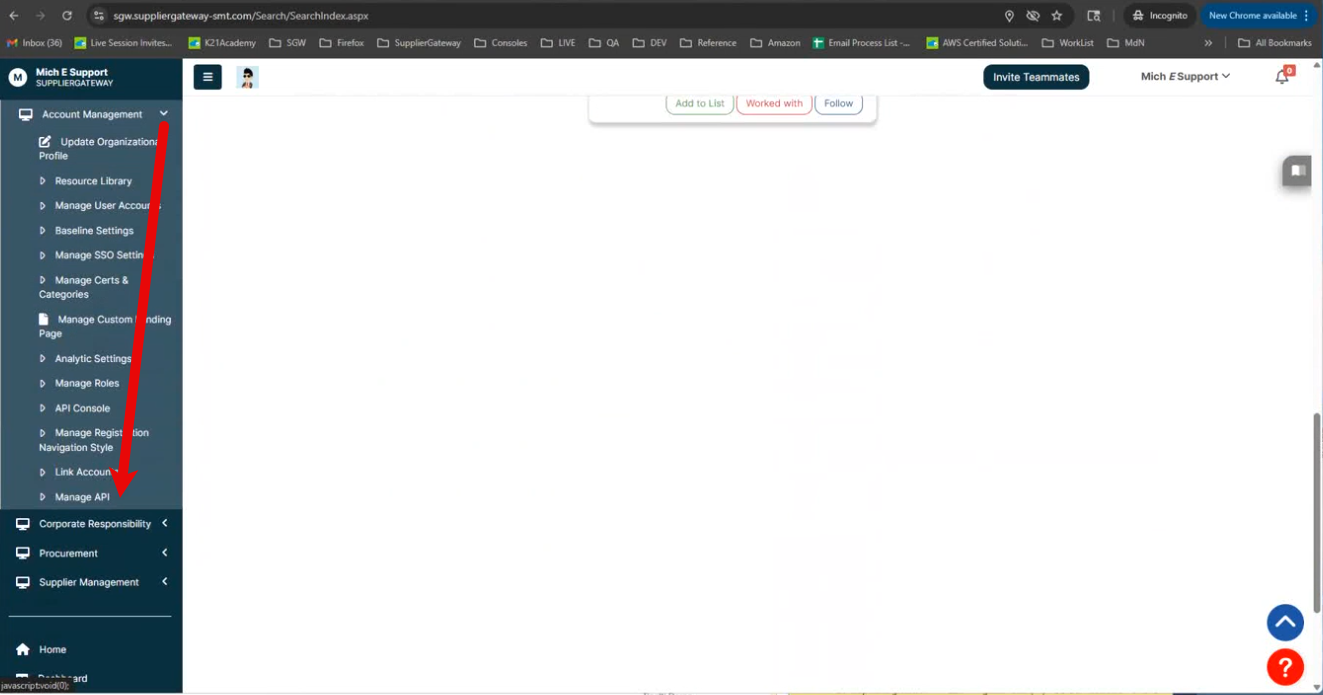
- From within Supplier Gateway's admin portal, navigate to Account Management > Manage API.
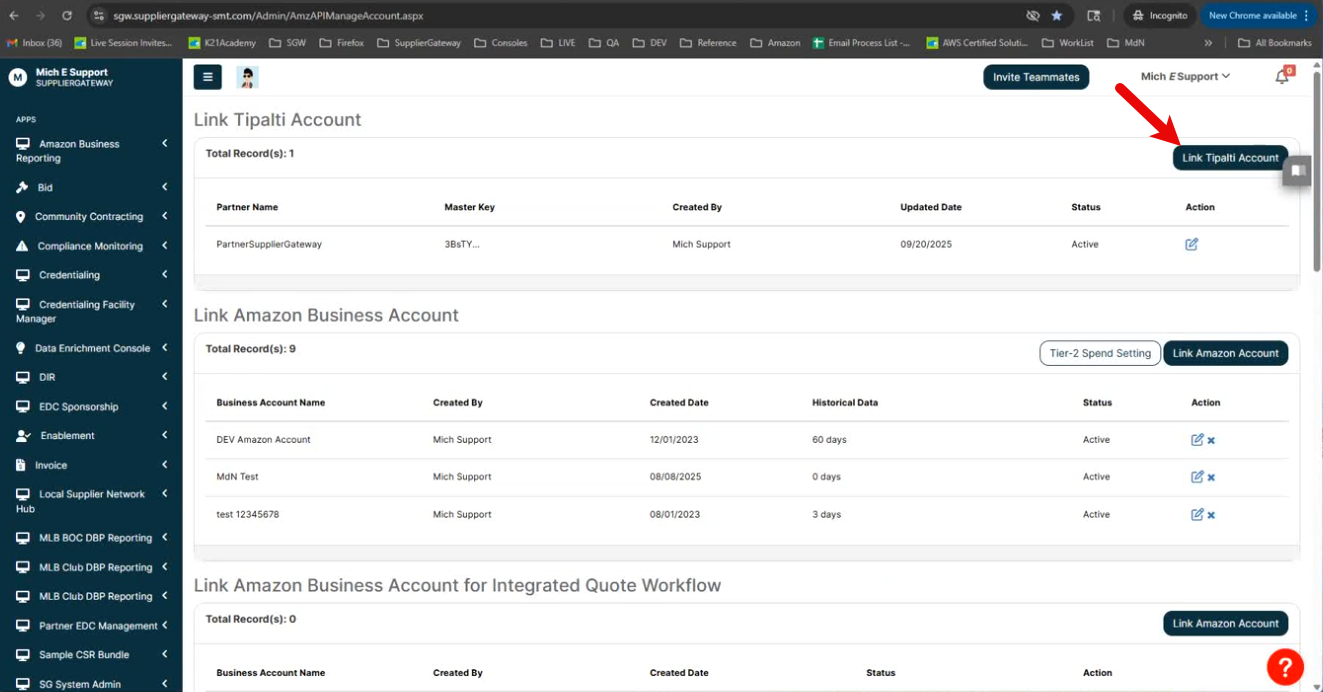
- Click Link Zipalti Account.
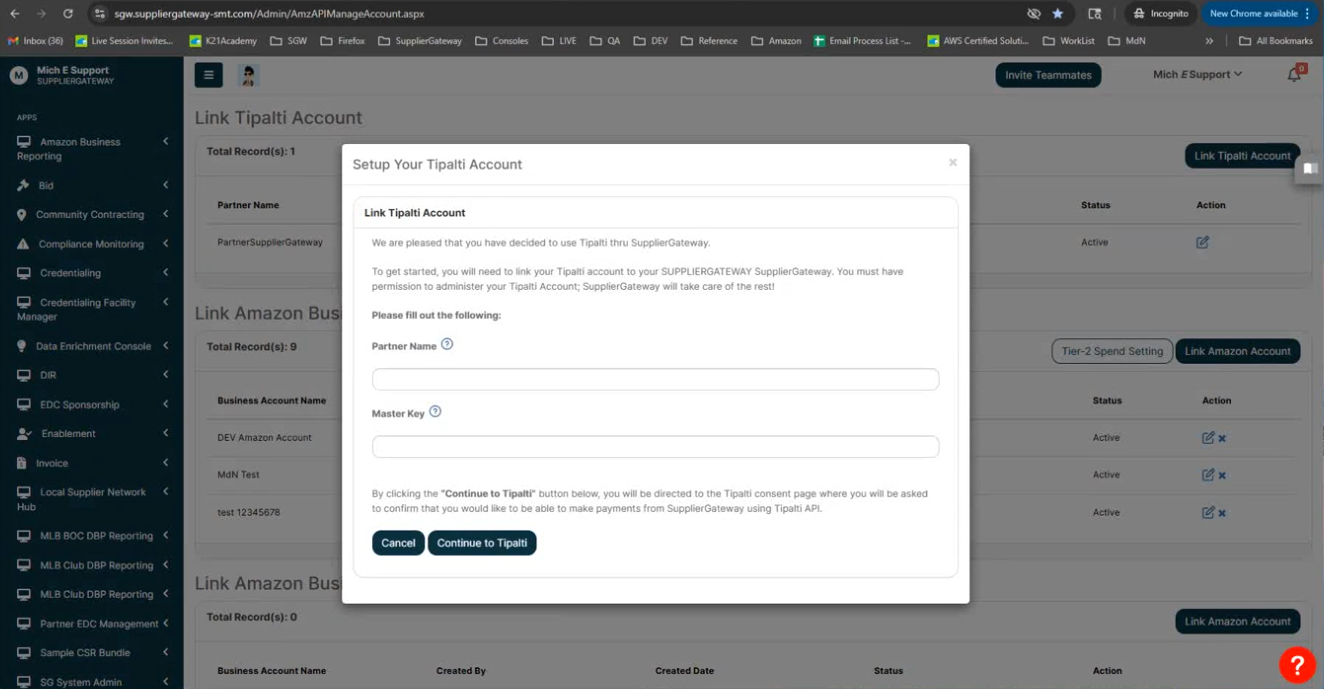
- In the Setup Your Zipalti Account modal, enter the following:
-
Partner Name: Enter the Zipalti Payer Name
-
Master Key: Enter the master API key found in Zipalti from Administration > API integration > API keys.
- Click Continue to Zipalti to login using the email address and password of the user with the Application Authorizer permission assigned in Zipalti.
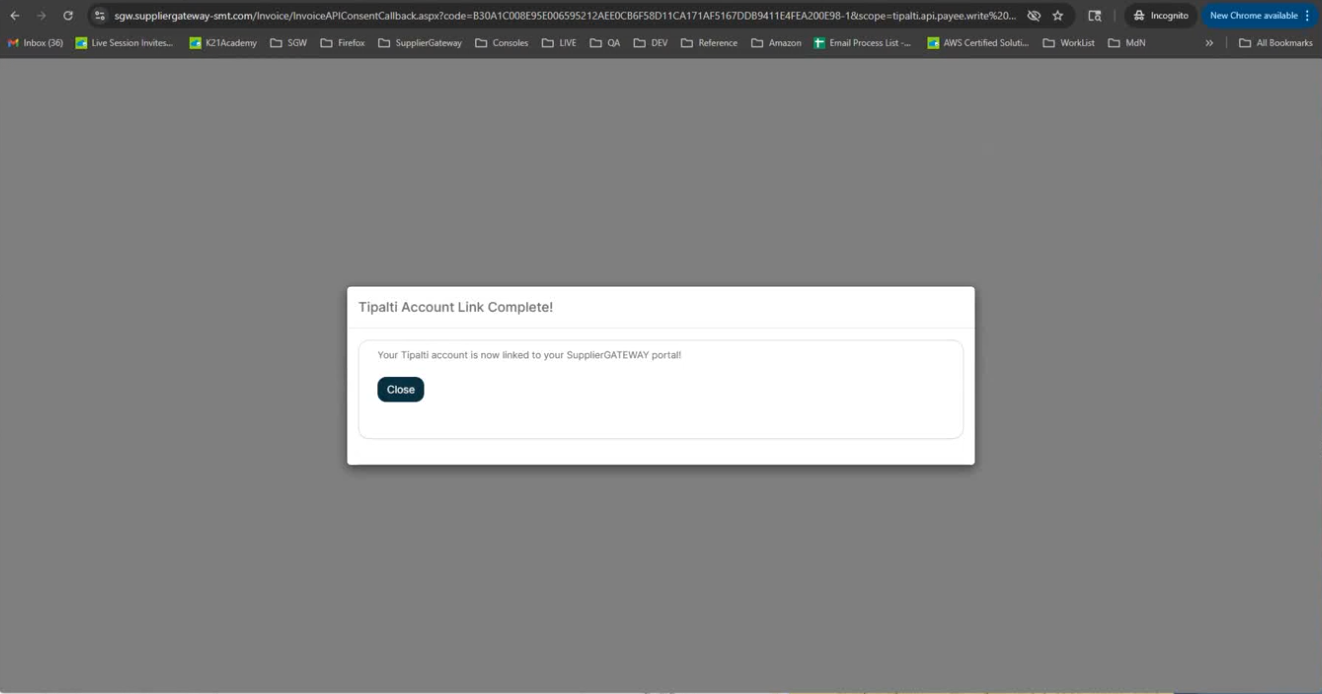
- Upon successful authentication, the user will be returned to Supplier Gateway and see a message confirming their account link is complete.

Comments
0 comments
Article is closed for comments.